
Play now
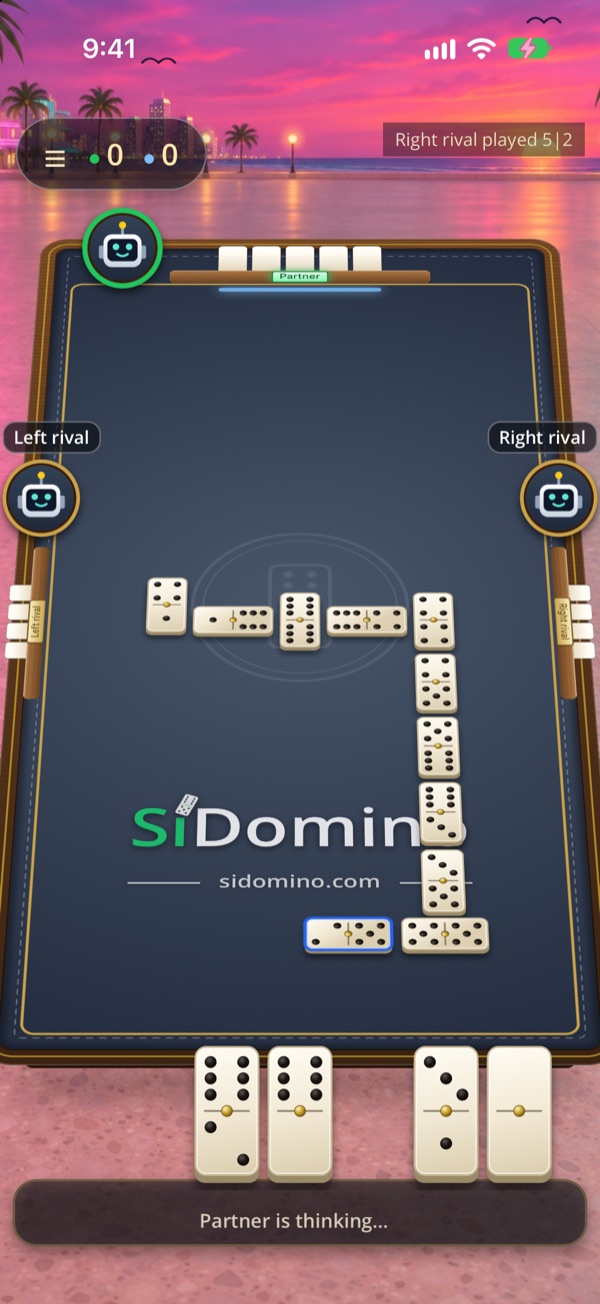
One tap deals a game: you and a computer partner against two computer rivals, or one on one. Pick your country's style and play to 100, 200, 300 or 500.

Now on iPhone and iPad · Android soon
Partner dominoes the way you play at home: with friends on their own phones, talking the whole game through, against the computer, or at a real table with the score kept for you.
 Coming soon onGoogle Play
Free to play · English and Spanish
Play
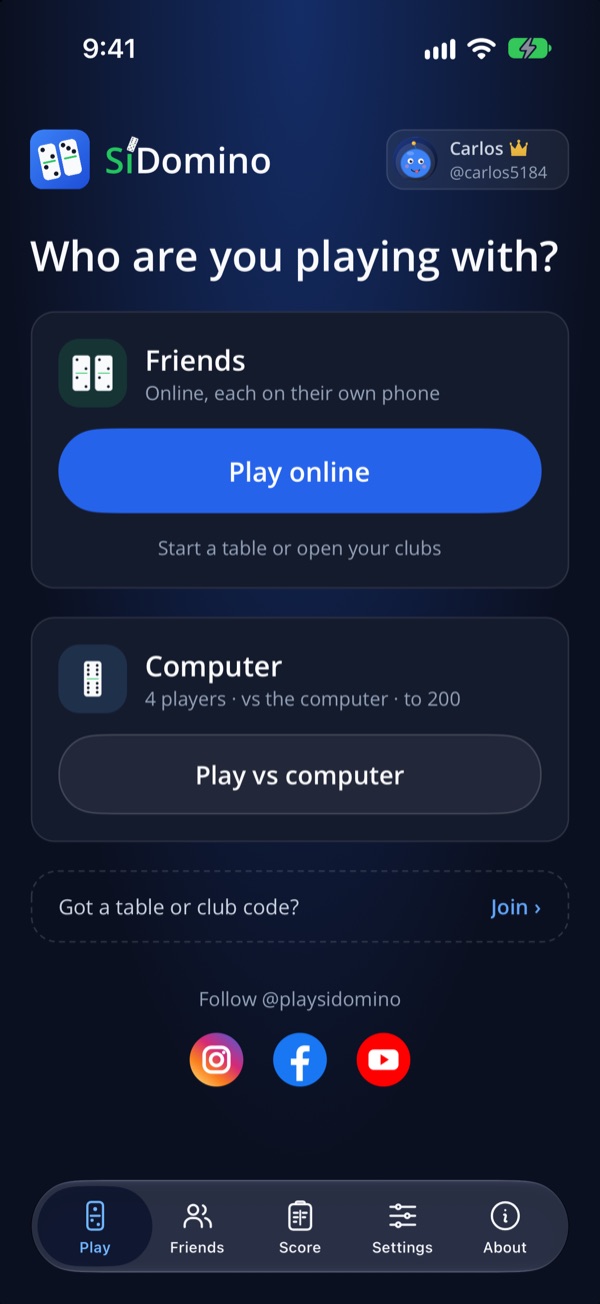
Everything starts from one screen. No menus to dig through.
One tap deals a game: you and a computer partner against two computer rivals, or one on one. Pick your country's style and play to 100, 200, 300 or 500.
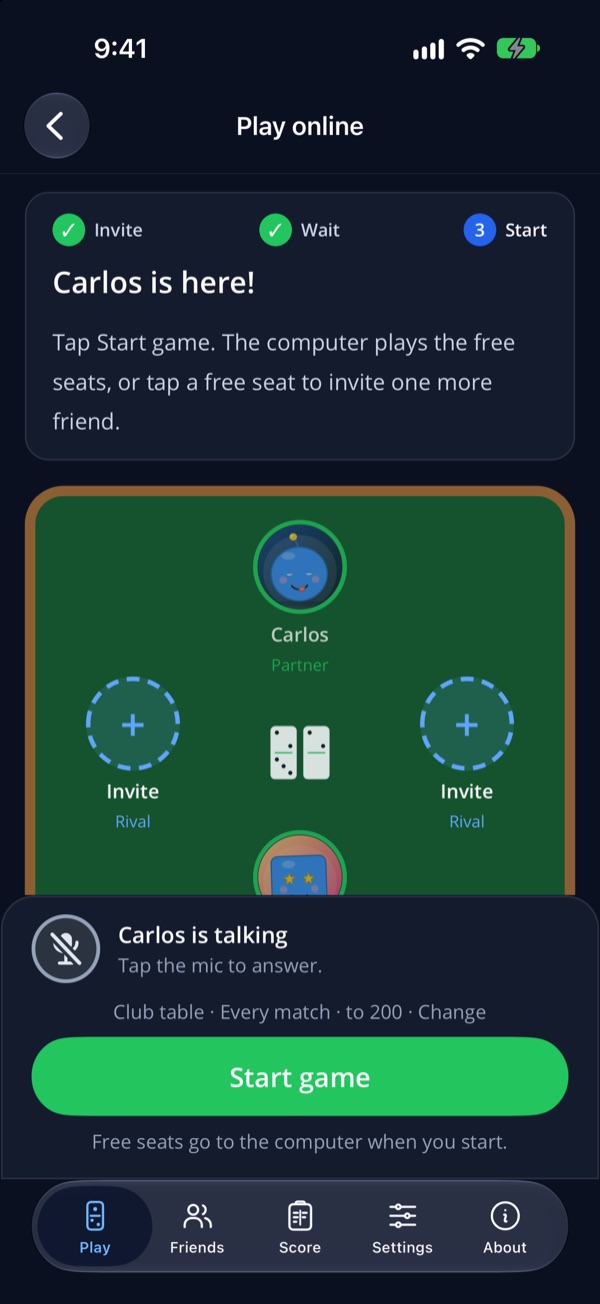
Send a link or show a QR code. Friends join from their own phones, pick their seats, and any empty seat can be the computer.
Got a code from a friend? Type it, paste the link or scan their code, and you're at the table.
Every hand face up, a hint that explains the move, and undo. A calm way to learn partner play.
New · Play styles
Pick a style in Settings, in Play now or when you open a table online. It sets the rules for you, and you can still change any of them. At an online table or a club, the host picks the style and everyone plays by it.
To 200. The winner of a hand opens the next. Capicúa, opening pass and everyone passed are worth 30 each. In a blocked hand, the player who blocked and the player on their right count their tiles.
To 100. The opening goes round the table, hand after hand. No bonuses. The winners score only the rivals' tiles. In a blocked hand the team with fewer points wins, and a tie scores nothing.
To 200. The winner of a hand opens the next and scores every tile left. In a blocked hand the team with fewer points wins, and a tie scores nothing. Capicú and points for making a rival pass are yours to switch on.
To 500. Capicú and chuchazo (going out with the double blank) are worth 100 each, and winning the first four hands adds 100, 75, 50 and 25.
Voice chat
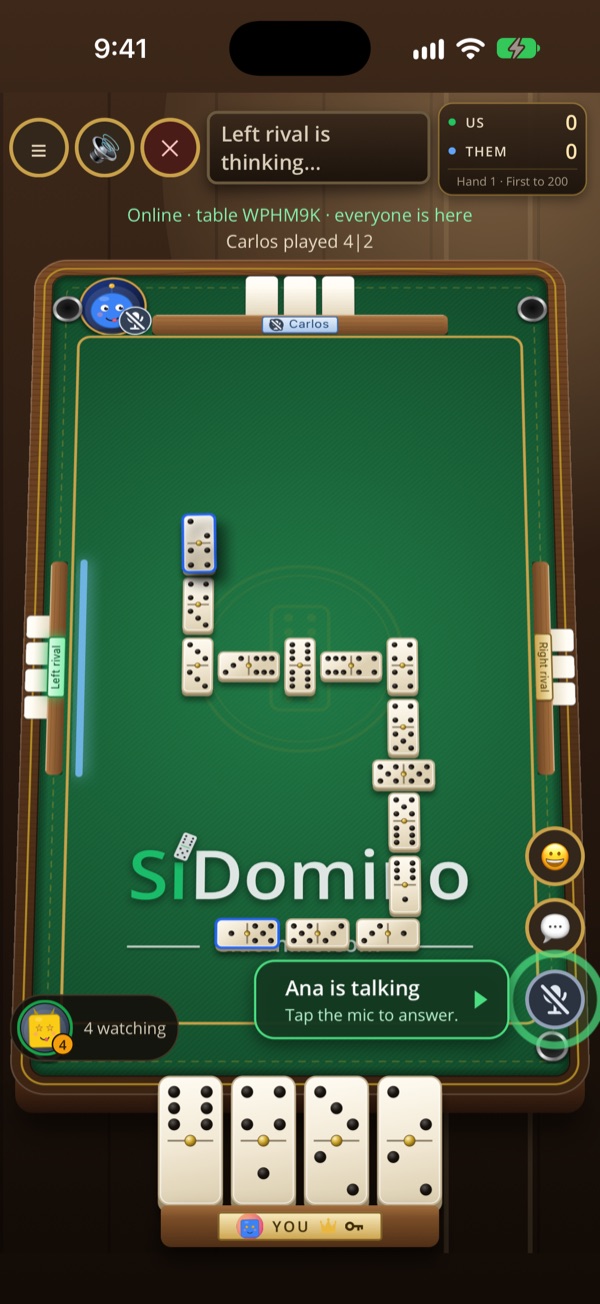
Dominoes is a game you play talking. Every online table has its own voice chat, so you hear your partner, tease your rivals and celebrate the capicúa together, as if you were sitting at the same table. Each of you plays on your own phone, wherever you are.
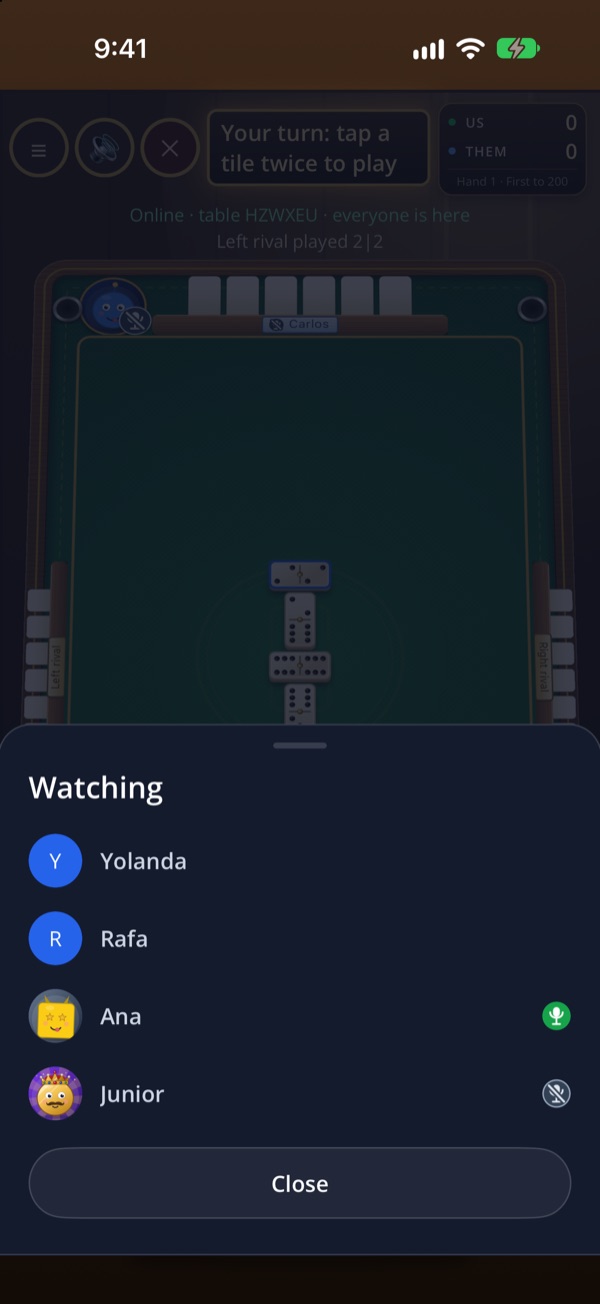
New: the voice chat starts in the lobby while everyone arrives, and in the clubs everyone in the room is in the same conversation, the players and the ones watching.
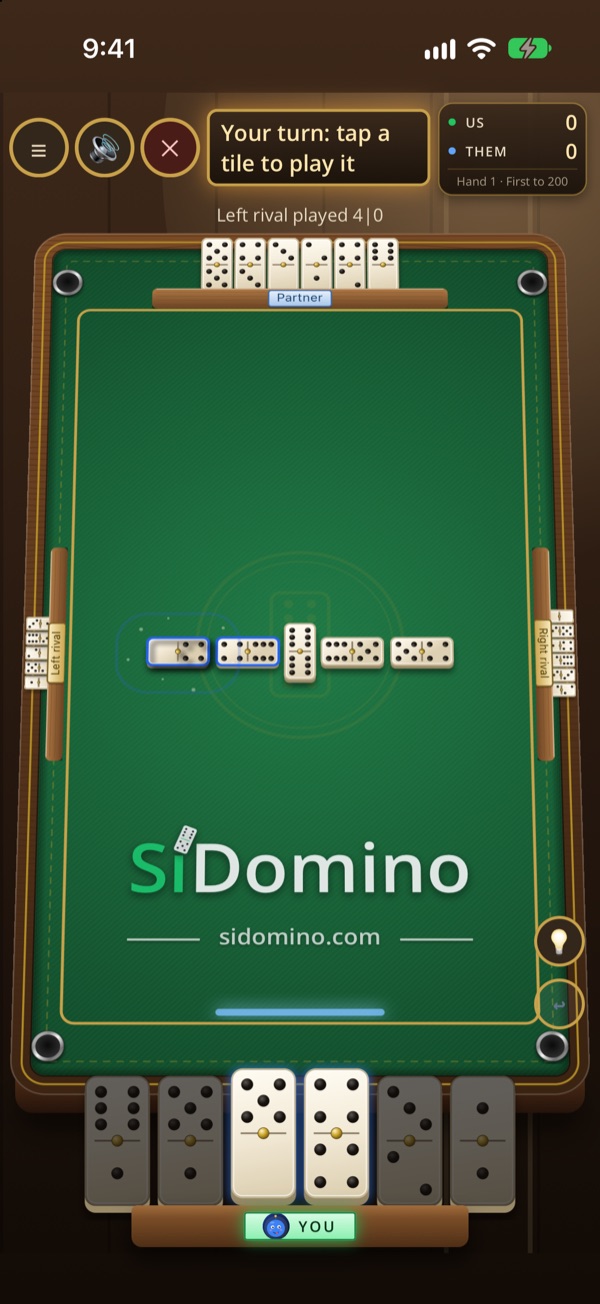
The table
A felt table seen from your chair, tiles that land with a soft clack, and a knock on the table when someone passes. Make it yours: the felt, the frame, the tiles' colors, even the hand that knocks.
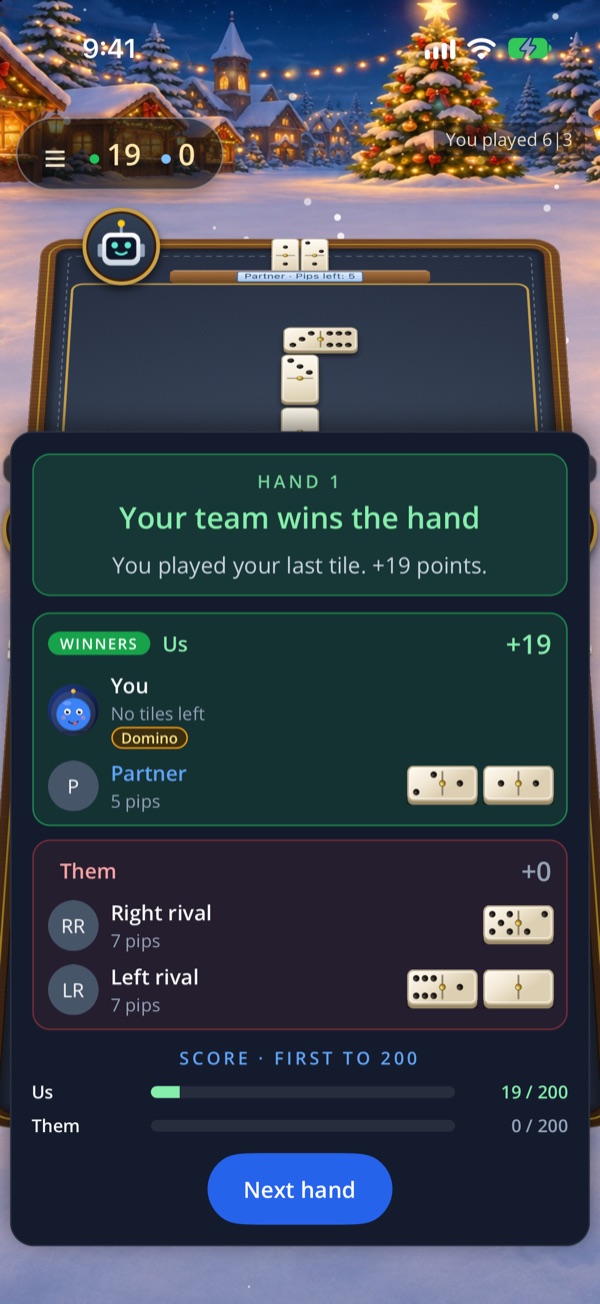
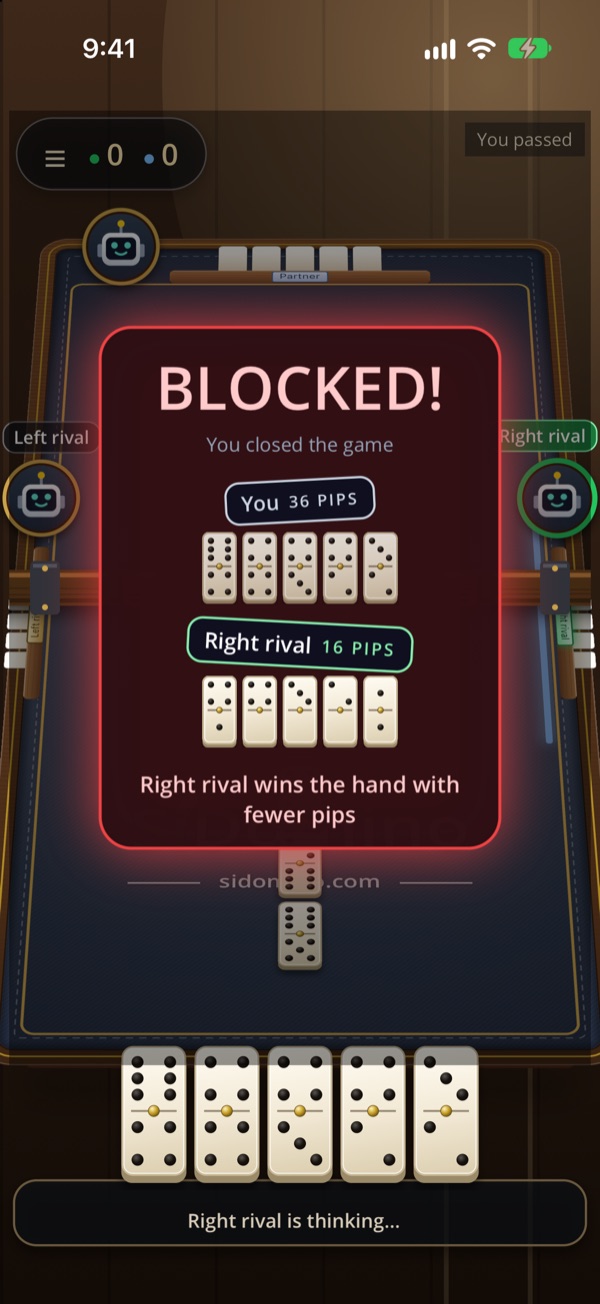
After every hand
When a hand ends, everyone's tiles turn face up and a card shows who won it, how, and by how much, with every player's picture. A blocked game gets its own show, so nobody wonders why it stopped.
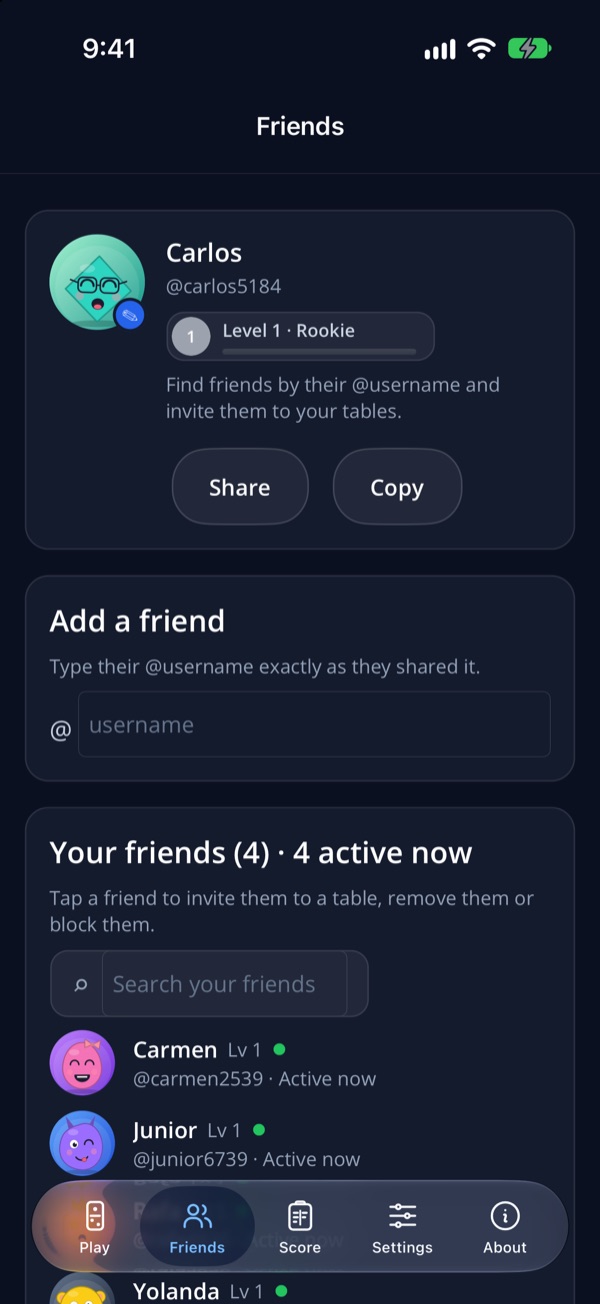
Friends
Everyone gets an @username. Add your friends by theirs, see who's around, and invite them straight to your table. The invitation pops up in their app wherever they are.
Clubs New
Bring the whole group. A club table holds up to 12 people: four play, the rest watch the game and wait their turn, and the whole room shares one voice chat, so the ones watching talk, cheer and comment too. The winners stay, the losers make room, and the club keeps the record of the night.
Joining a club is free. Opening a club of your own comes with SiDomino Premium.
Avatars
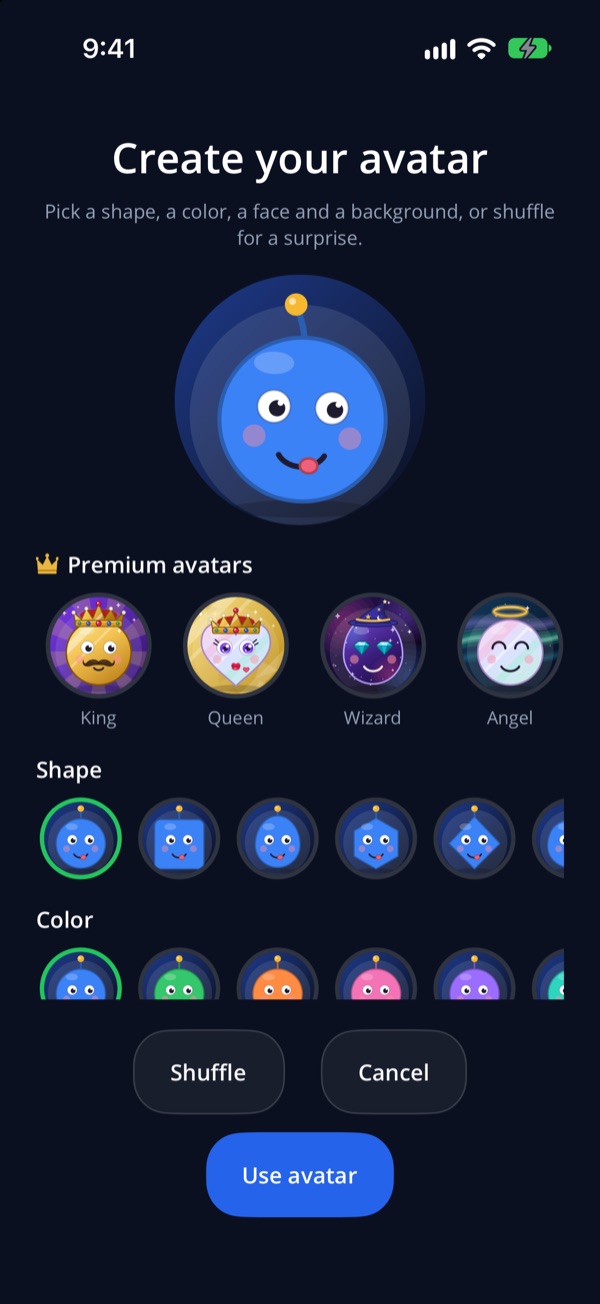
Use a photo and frame it just right, or create your own character: its shape, color, eyes and mouth, a cap, a crown or headphones, and a background. Or shuffle for a surprise. It breathes, blinks and looks around, on your profile and at the table.


At the table
Talk while you play, like sitting together. Tap the mic to talk, see who's talking on their picture, and the host can keep order.
Capicúa, Everyone passed, Opening pass, Chuchazo and more, each worth points. Every style brings its own; switch them on or off and set their value.
Sitting across makes partners. Swap seats between games when both players agree.
Play against the computer, practice and keep score with no connection at all.
English and Spanish, switch any time. More languages to come.
Soft table sounds and a gentle cue when it's your turn, or none at all. Your call.
Choose who sees your picture, and who can tell when you're active: everyone, friends only or nobody.
A friend's invitation pops up wherever you are in the app. Join in one tap, or later from your Friends list.
Sign in with your email, and your name, picture and friends follow you to a new phone.
Type to everyone at your table, or tap a quick phrase or an emoji. Rude words are masked, and the messages go once everyone has left.
Every match earns XP for dominoes, capicúas, tranques and wins. Climb from Rookie to Legend and see your stats grow.
Tap any player to report or block them. Our team reviews every report, and the host can remove someone from the table.
Score
The Score tab keeps score for games at a real table: tap a team to add the hand's points, fix or delete a hand, and see who's ahead at a glance. It counts each team's wins across games and celebrates the winner.
Play modes
Five modes are ready to play now. More are on the way.
4 players
You and a computer partner against two computer rivals.
1 vs 1
One on one against the computer, drawing from the boneyard.
1 vs 1
Face a friend on the same device.
2 vs AI
You and a friend, each on your own phone, as partners or rivals.
Invite only
A table that only the people you invite can find.
Open
Get matched with players online in seconds.
2 vs 2
Four friends, four phones, one table. Partners sit across.
Bracket
Compete round by round for the top spot.
Solo
Every hand face up, with hints and undo.
Get the app
Free on the App Store for iPhone and iPad, in English and Spanish. The Android app is being tested right now: follow @playsidomino to hear when it's out.
Coming soon onGoogle Play
On a computer?Point your iPhone's camera at the code to open SiDomino on the App Store.
Follow us
Plays, capicúas, tips for partner dominoes and what's new in the app. Find us as @playsidomino everywhere.
FAQ
The iPhone and iPad app is on the App Store now, free (see Get the app). The Android app is in testing and coming soon to Google Play: follow @playsidomino on Instagram to hear when it's out.
Yes. SiDomino is free to play. An optional Premium membership adds extras, like hosting clubs. There are no ads today; in the future, players without Premium may see some.
Yes. Games against the computer, Practice and the scorekeeper all work without a connection.
Yes. Invite them with a link or a QR code. Each of you plays on your own phone, and you can talk with voice chat.
Yes. Every online table has a voice chat. Your microphone starts off: tap the mic by the table when you want to talk, and tap it again to mute. Each player's picture shows when they're talking or muted, and you can turn the voices up or down in Settings. You also talk in the lobby while everyone arrives, and in the clubs.
Bigger tables for up to 12 people: four play, the rest watch and wait their turn, and everyone shares the same voice chat. A club also has its own chat, members and record. Joining a club is free with a link, a QR code or the club's code; opening a club of your own comes with SiDomino Premium.
An optional yearly membership to open and host your own clubs, with Premium avatars, stickers and a gold crown by your name. It's $19.99 a year in the US (prices vary by country), free for the first week if it's your first time. Get it in the iPhone app, in Settings, then Account, then SiDomino Premium; Android is coming soon. It renews every year until you cancel it in your App Store settings. Joining clubs, and everything else that's free, stays free.
Open the Friends tab and type their @username. Once they accept, you'll see when they're active and can invite them to your table in one tap. Share your own @username from the same tab.
Either. In Settings, then Account, choose a photo or take one and frame it, or create an avatar. In Privacy you choose whether everyone sees your picture or only your friends.
Yes, as a team of four with a computer partner, or one on one.
Classic partner dominoes with a double-six set: four players, seven tiles each, partners sit across, and the first team to the winning score takes the game. You choose the style: Dominican, Venezuelan, Puerto Rican 200 or Puerto Rican 500. Each sets the score, who opens, how a blocked hand is decided and the bonuses, and you can change any of them in Settings, then Rules.
The host, before the game starts. Everyone sees the style in the lobby and the whole table plays by it. Everyone needs the latest version of the app to play a style other than Dominican.
No. You can play right away. When you play online, SiDomino sets up an account for you; sign in with your email to keep it on another phone.
Every match you finish against the computer or online earns XP: points for the hands and the match you win, dominoes, capicúas, tranques and more. XP raises your level, from Rookie to Legend. Your level shows on your Friends card, and your friends see it too. Practice doesn't count.
Tap the player (their rack, their chat line or their picture) to hide their chat, mute their voice, block them or report them. Our team reviews reports quickly and can warn, suspend or block players. Rude words in the chat are masked automatically.
Your iPhone's Lockdown Mode is probably on: it turns off the microphone for voice chat inside apps. Go to Settings → Privacy & Security → Lockdown Mode → Configure Web Browsing and turn off SiDomino (the rest of your phone stays protected), then close SiDomino and open it again. Also check that Settings → SiDomino → Microphone is on.
Yes, we'd love to hear from you. Use the contact form and choose "Advertising or business", or write to support@sidomino.com. Tell us about your brand, who you'd like to reach and when.
In the app, go to Settings, then Account, then Delete account. You can also ask for it here.
Contact
Questions, ideas or something that isn't right? We'd love to hear from you.
Advertise with us
SiDomino brings domino players together every day, in English and Spanish, from the Caribbean to the rest of the Americas. If your company wants to reach them, we're opening a few spots for advertisers and sponsors.
Tell us about your brand, who you'd like to reach and when. We answer every company that writes.